Download Twitter/X Videos with TwitterXZ
A quick guide to downloading Twitter/X videos online. Copy the tweet link, parse it with TwitterXZ, choose quality, and save it in minutes.
If you are looking for a simple way to download Twitter/X videos online, this guide walks you through the fastest desktop workflow. With TwitterXZ, you only need to copy the tweet link, parse it, choose the quality, and save the video.
This is useful when you want to save reference clips, educational videos, or viral posts without digging through source files manually. Below, you will see the full process step by step.
How to Download Twitter/X Videos with TwitterXZ
Here is the complete flow for downloading Twitter/X videos with TwitterXZ.
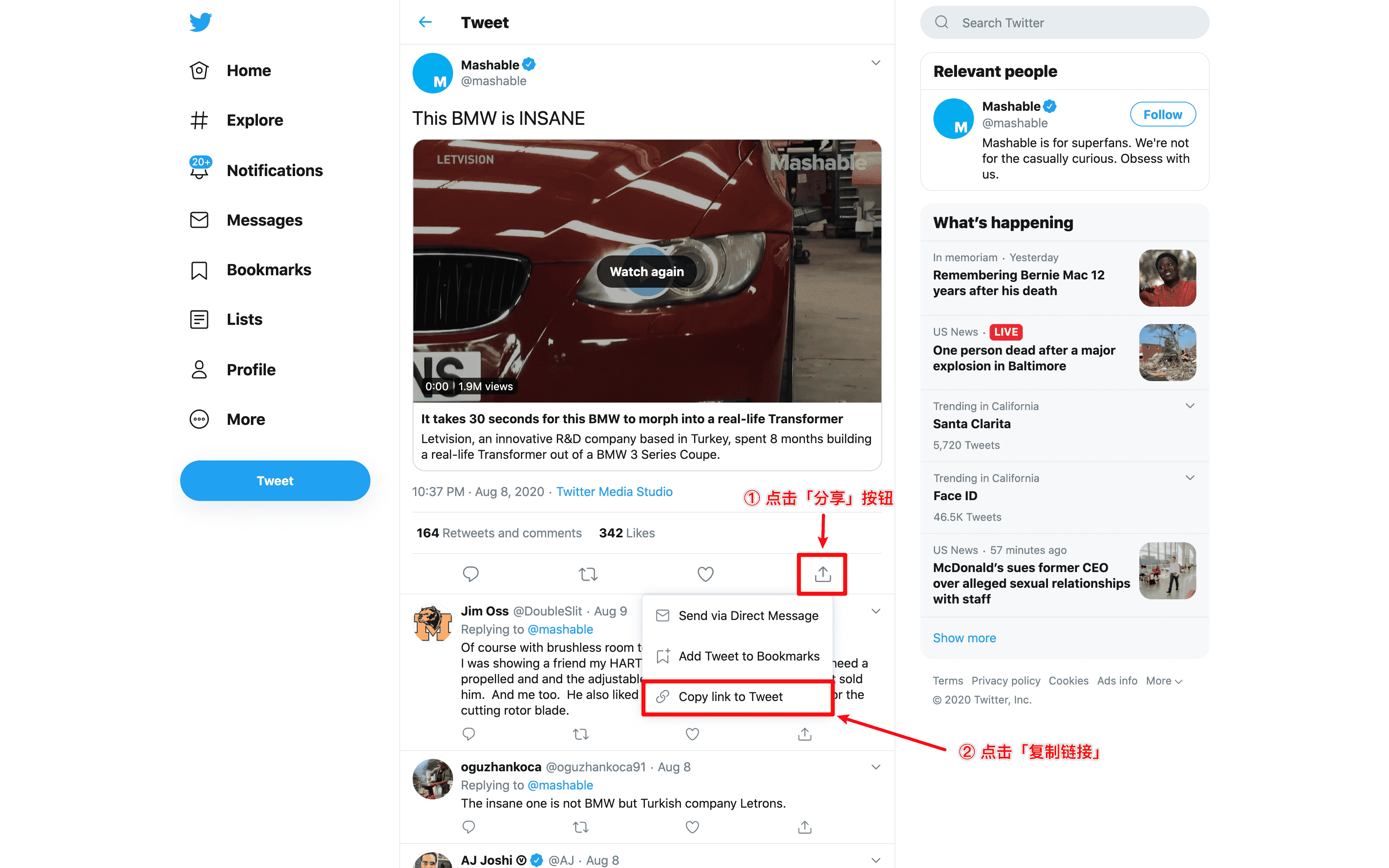
2.1. First, Copy the Twitter Tweet Link You Want to Download
- Open the tweet containing the video you want to download
- Click on "Share"
- Click on "Copy link"
2.2. Open TwitterXZ.com
Visit the TwitterXZ.com website to proceed with the download.

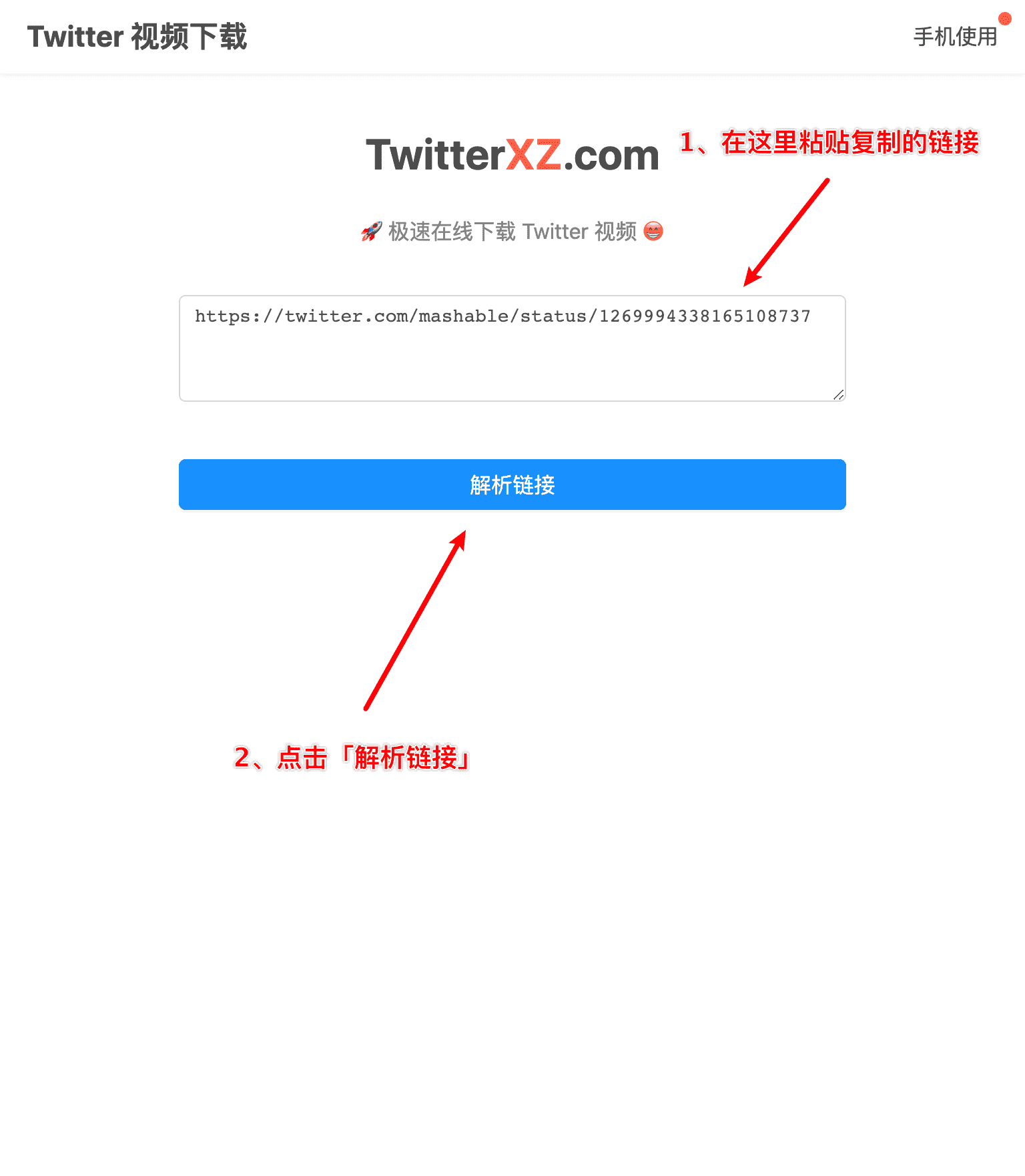
2.3. Paste the Tweet Link You Want to Download
You can copy the link below to test it out:
https://twitter.com/tesla/status/1291831728009441280?s=20
2.4. Download
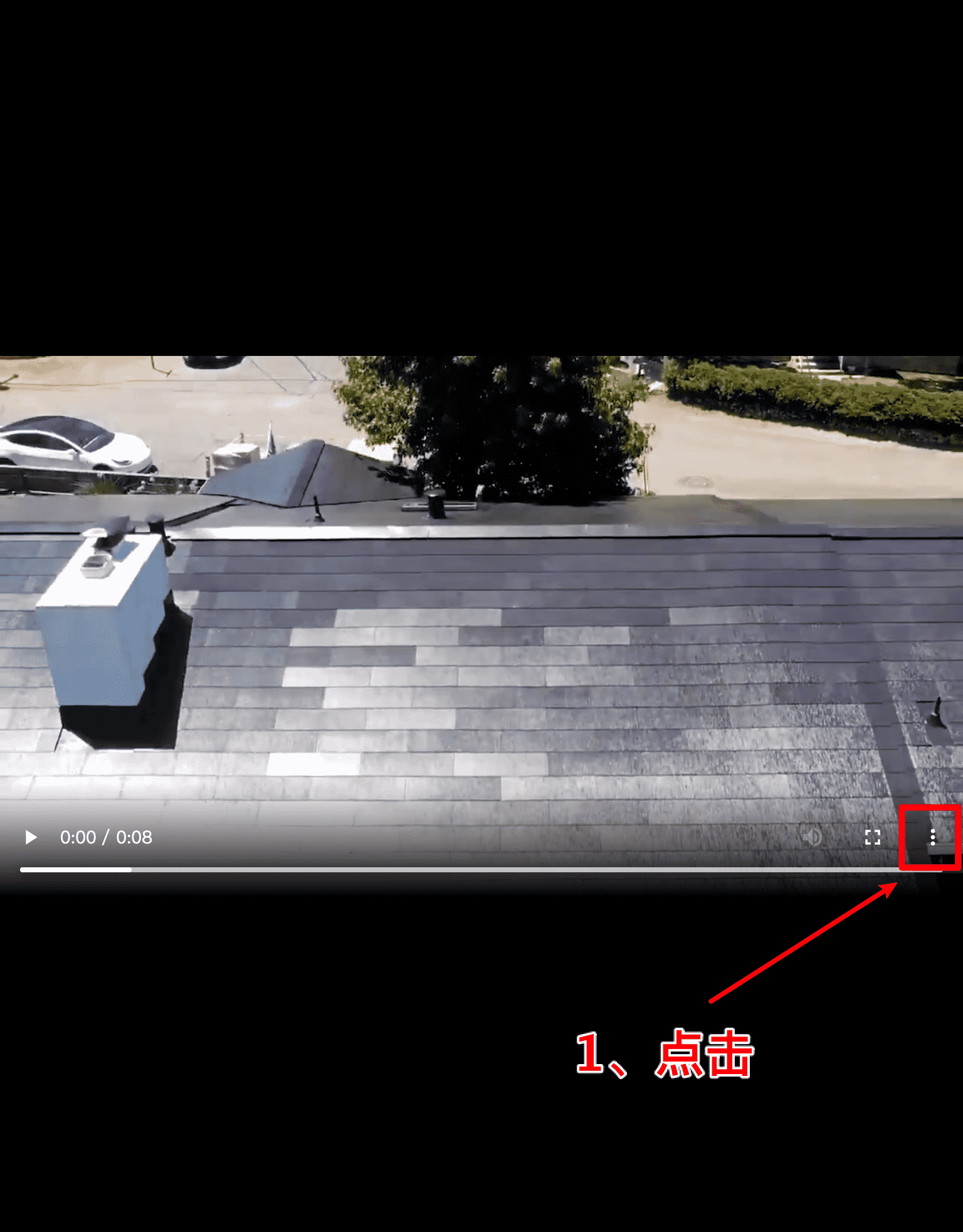
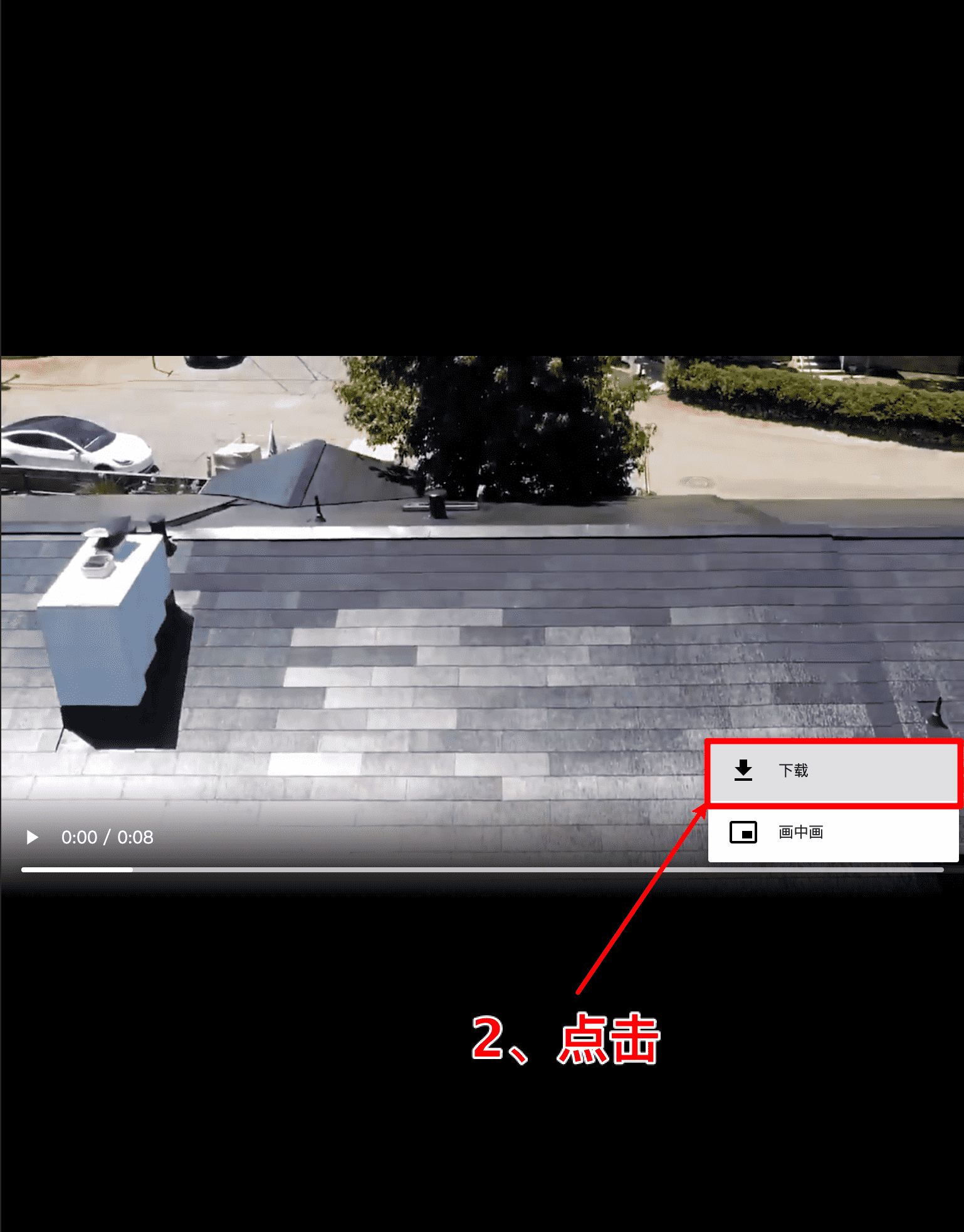
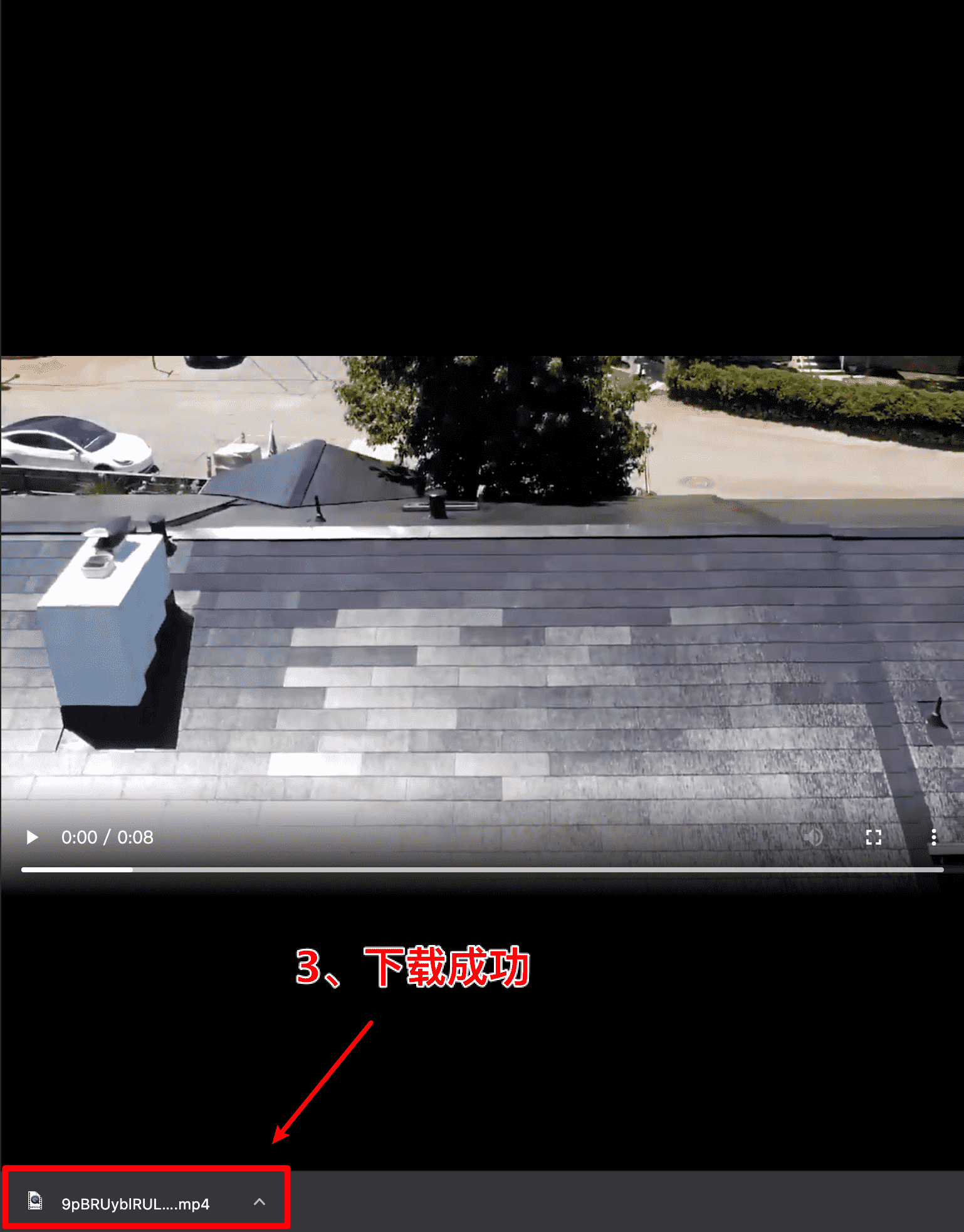
After the link is successfully parsed, click on the video quality you want to download. A new tab will open, then simply select download.

3. Summary
The process is actually very simple, requiring only 3 steps:
- Copy (Copy the Twitter tweet link)
- Parse (Paste and parse on TwitterXZ.com website)
- Download (Select download in your browser)
Congratulations! You've now fully learned how to use TwitterXZ.com. If you also want a mobile walkthrough, read this guide on how to download Twitter videos on your phone. If you're on a computer, see how to download Twitter/X videos on PC. And if you want to make sure you're getting the highest resolution, read how to download Twitter/X videos in the best quality.